
Overview專案總覽
Live goal, progress, blockers and recent decisions. Unknown sources stay distinct from complete empty records; fixed reports remain separate.看即時目標、進度、阻礙與近期決策。未知來源與完整空紀錄分開呈現,固定報告另讀。
Read the contract →閱讀設計合約 →Understand the project, find a problem and discuss it with the PM. Review a proposed update and adopt it in the same project workspace, shared by Web and desktop.先看懂專案狀況,找到問題,再直接與 PM 討論。從原紀錄帶入脈絡、審閱提案到明確採用,都在同一個專案裡完成;Web 與桌面版共用介面。
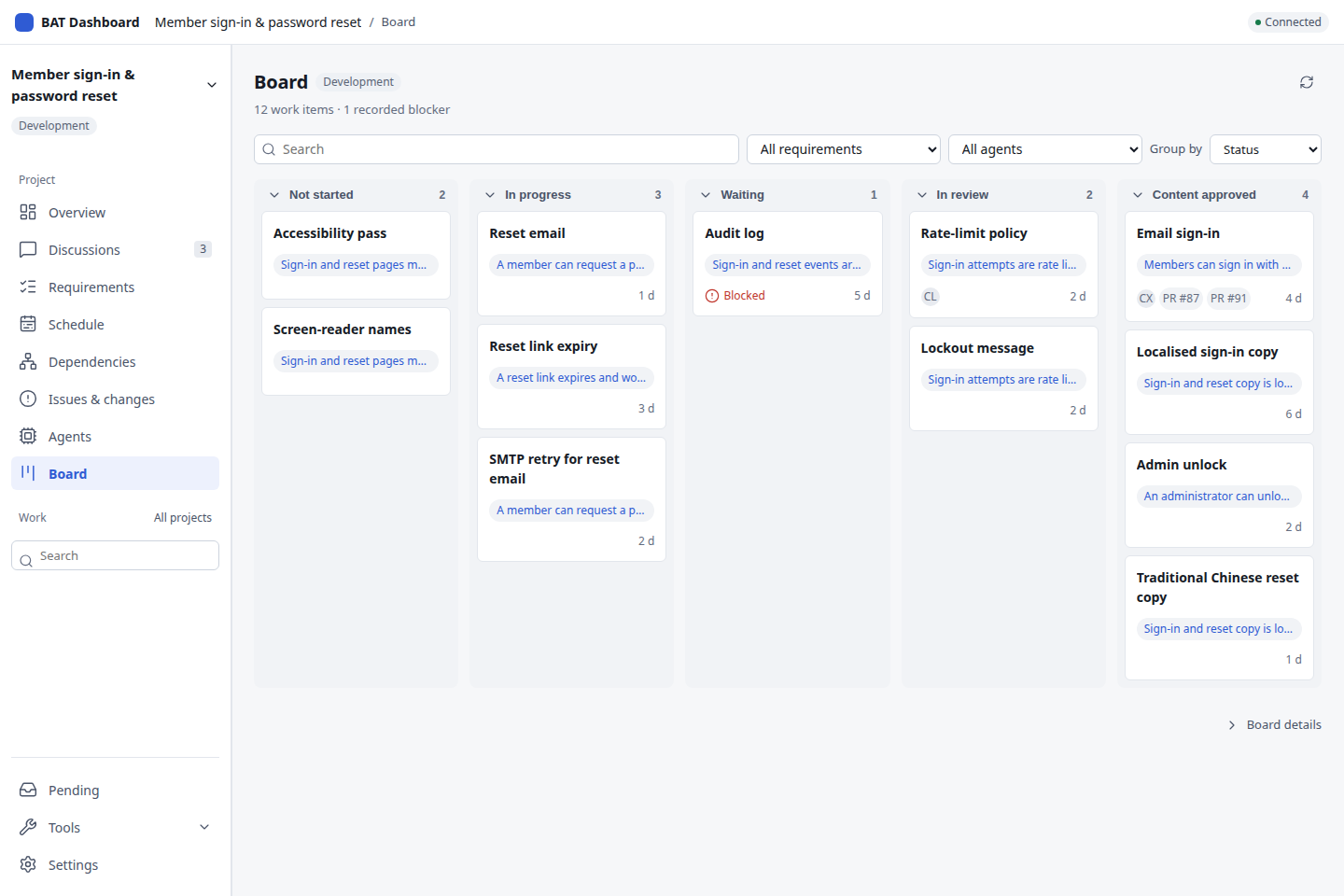
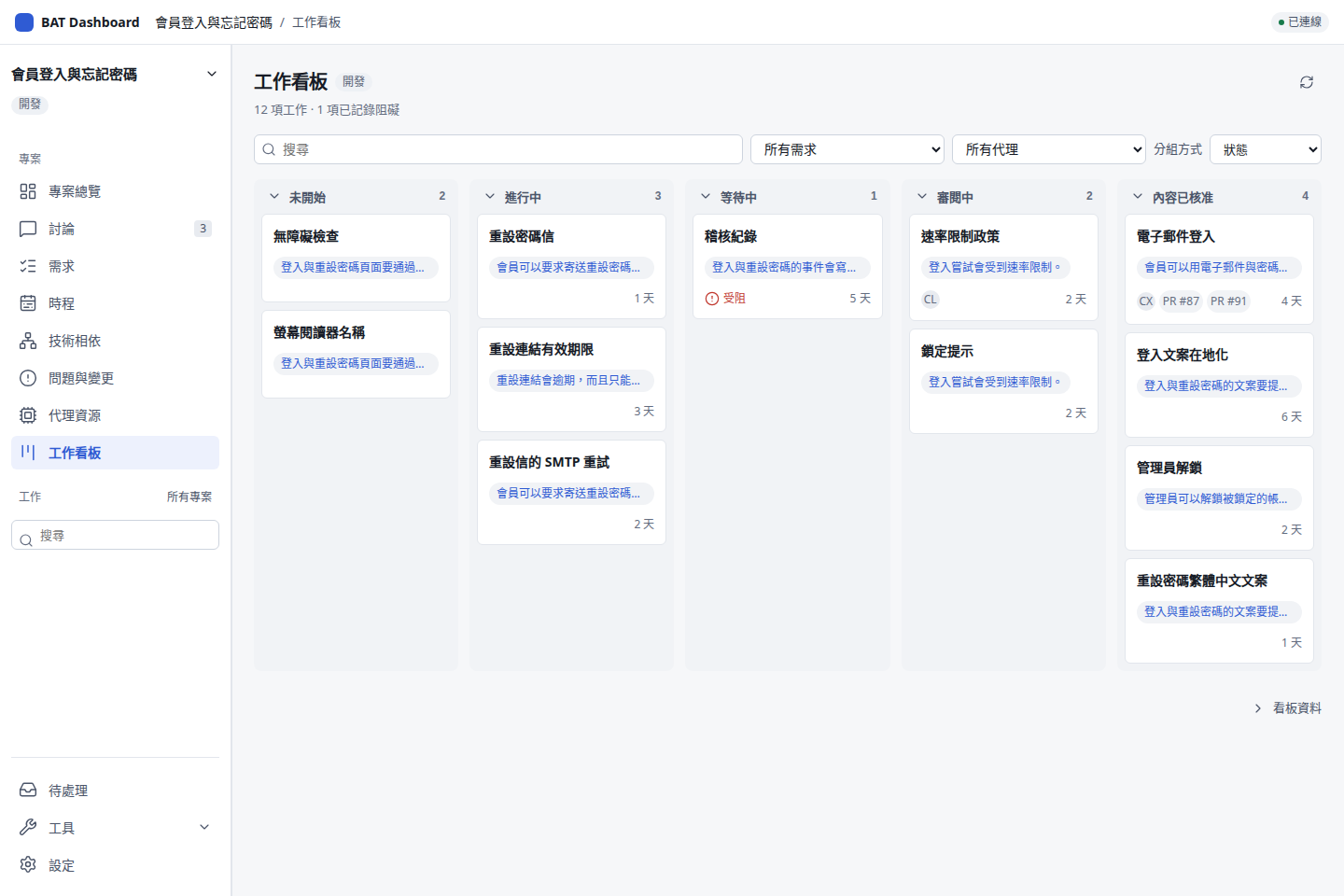
Explore the current Dashboard with sample data. The v1.3 workflow preview simulates start, follow-up and decision. The real Start work panel is on main and needs a configured BAT host and a bound repository.用展示資料操作目前的 Dashboard。v1.3 工作流程預覽會模擬開始工作、追加修改與驗收決策。主線上已有真正的「開始工作」面板,它需要已設定的 BAT 主機與已綁定的儲存庫。
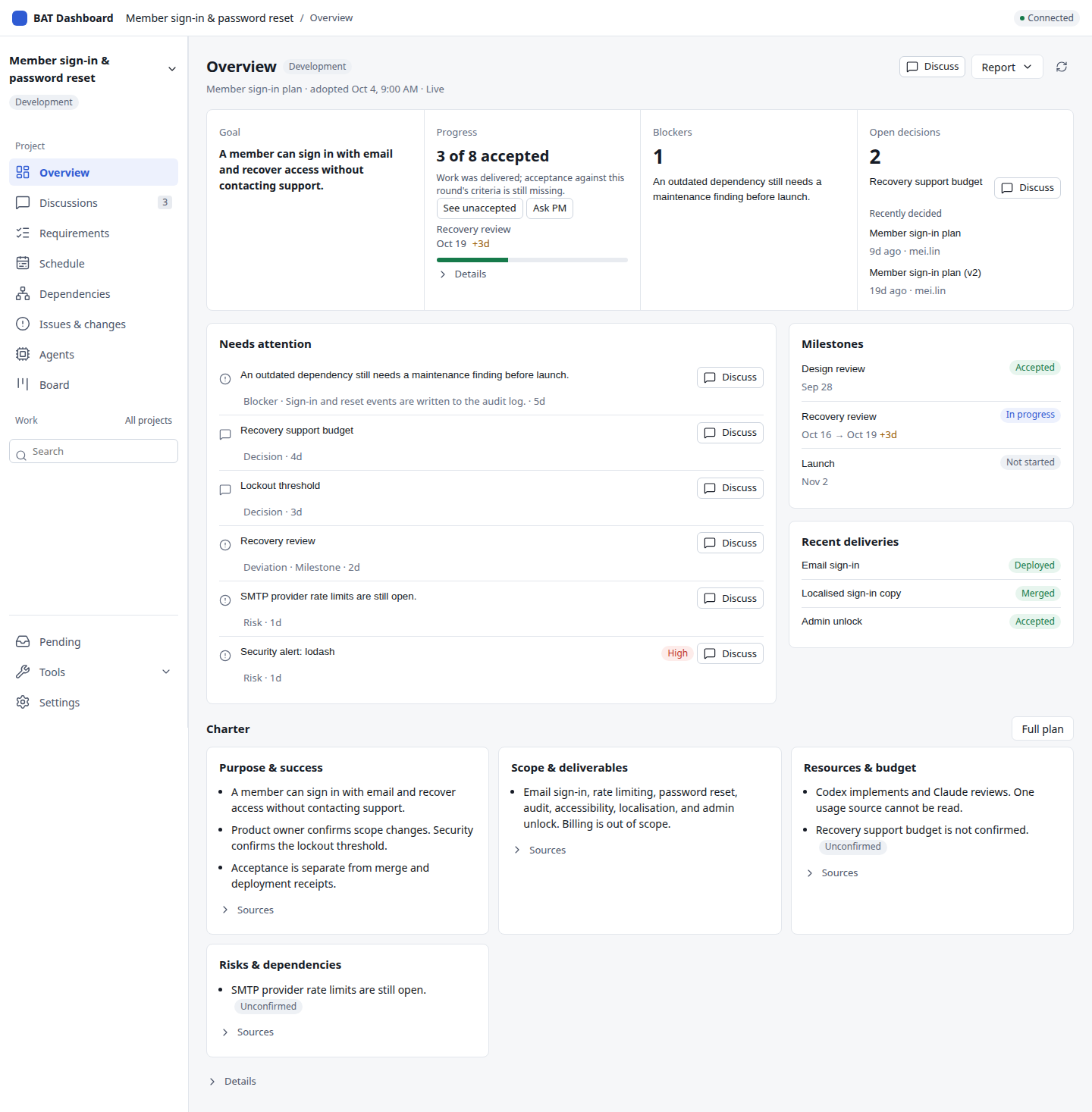
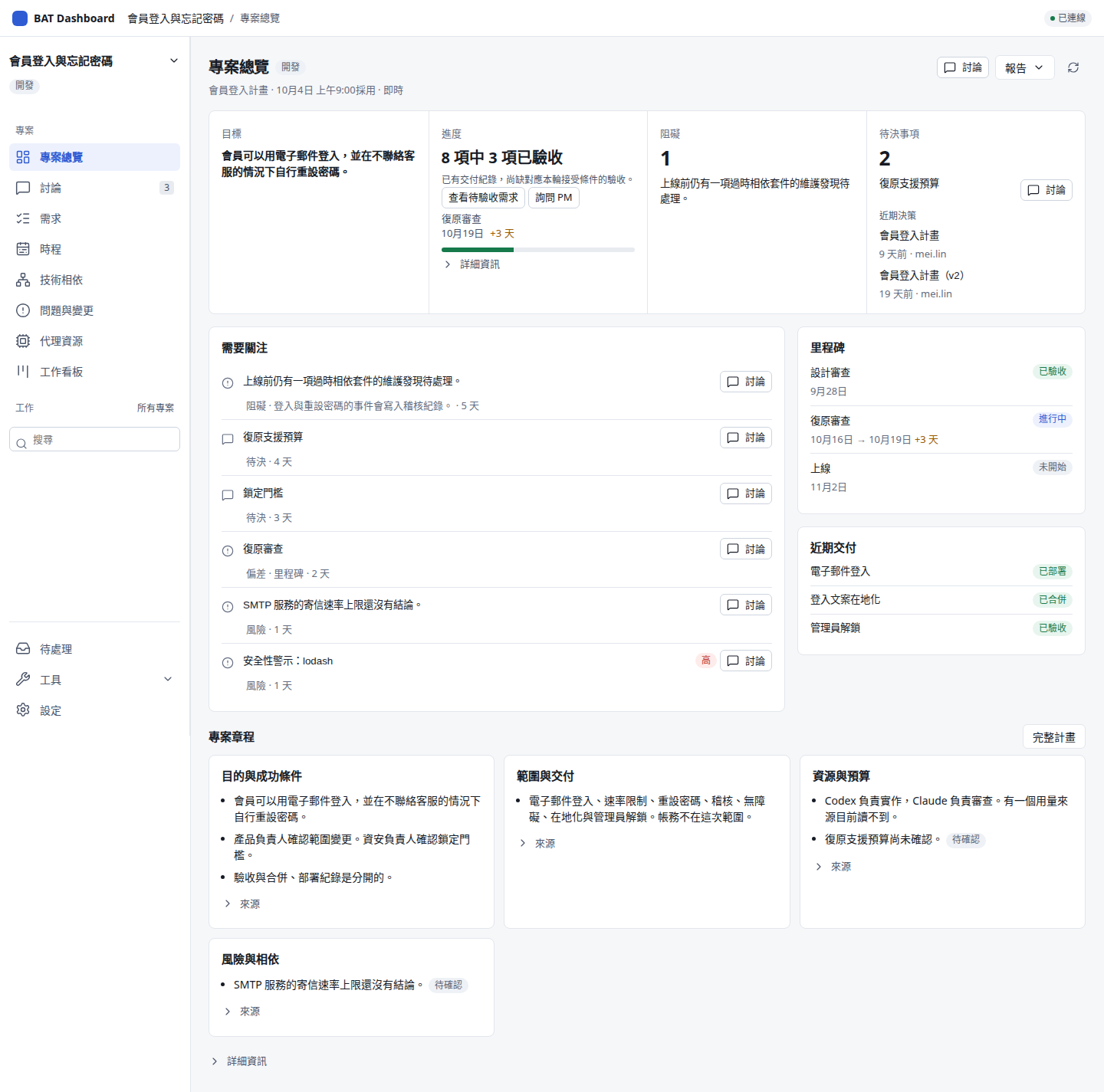
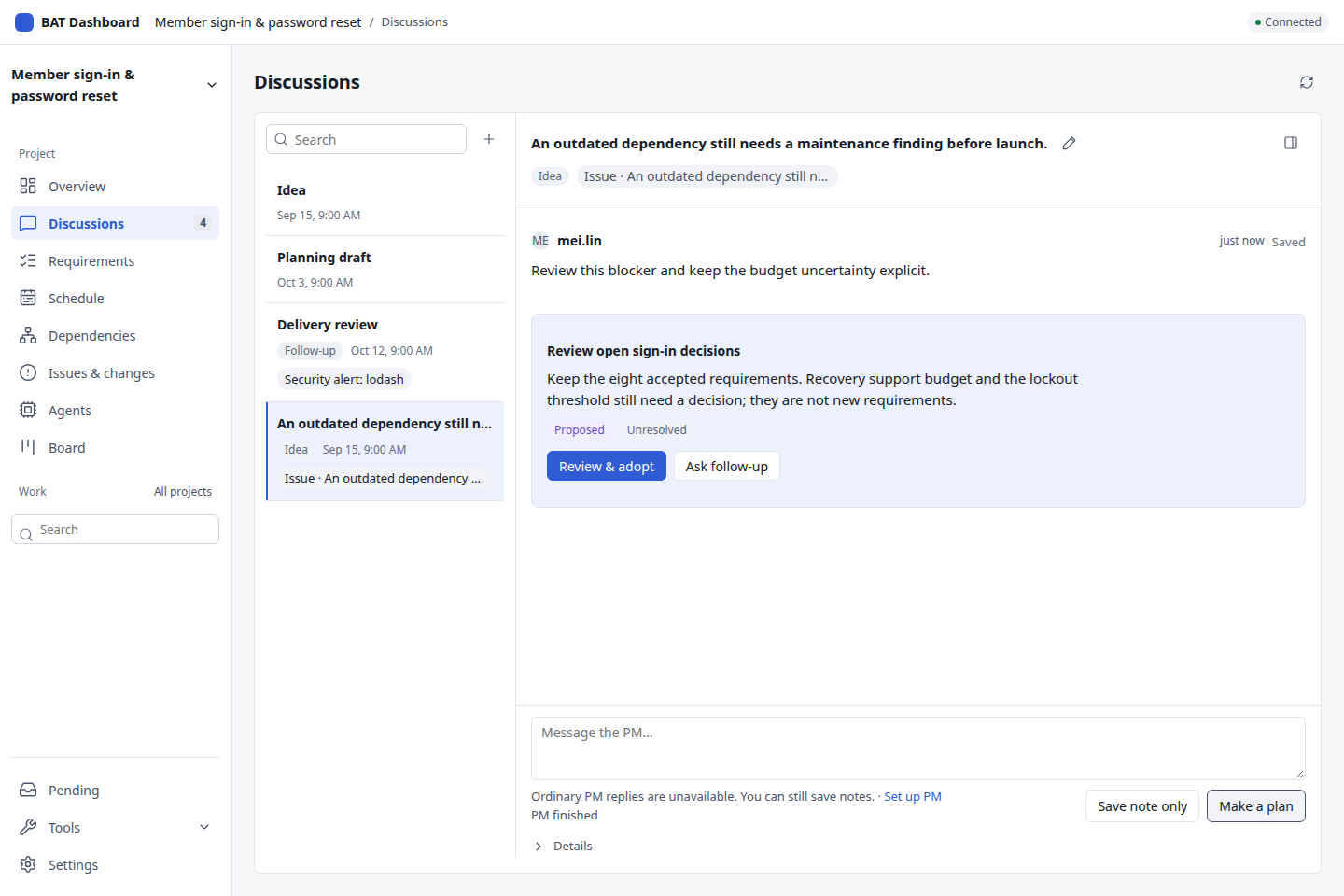
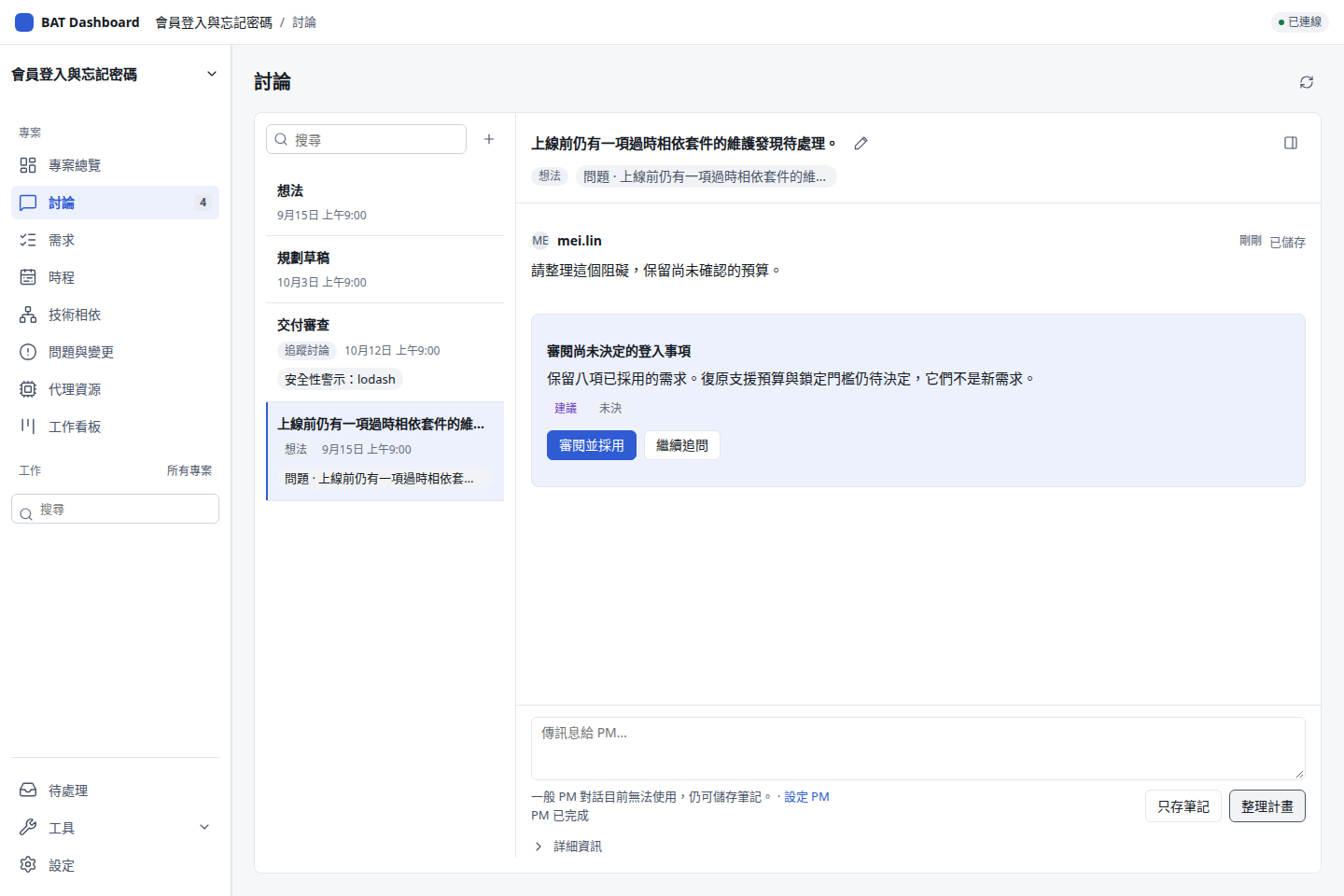
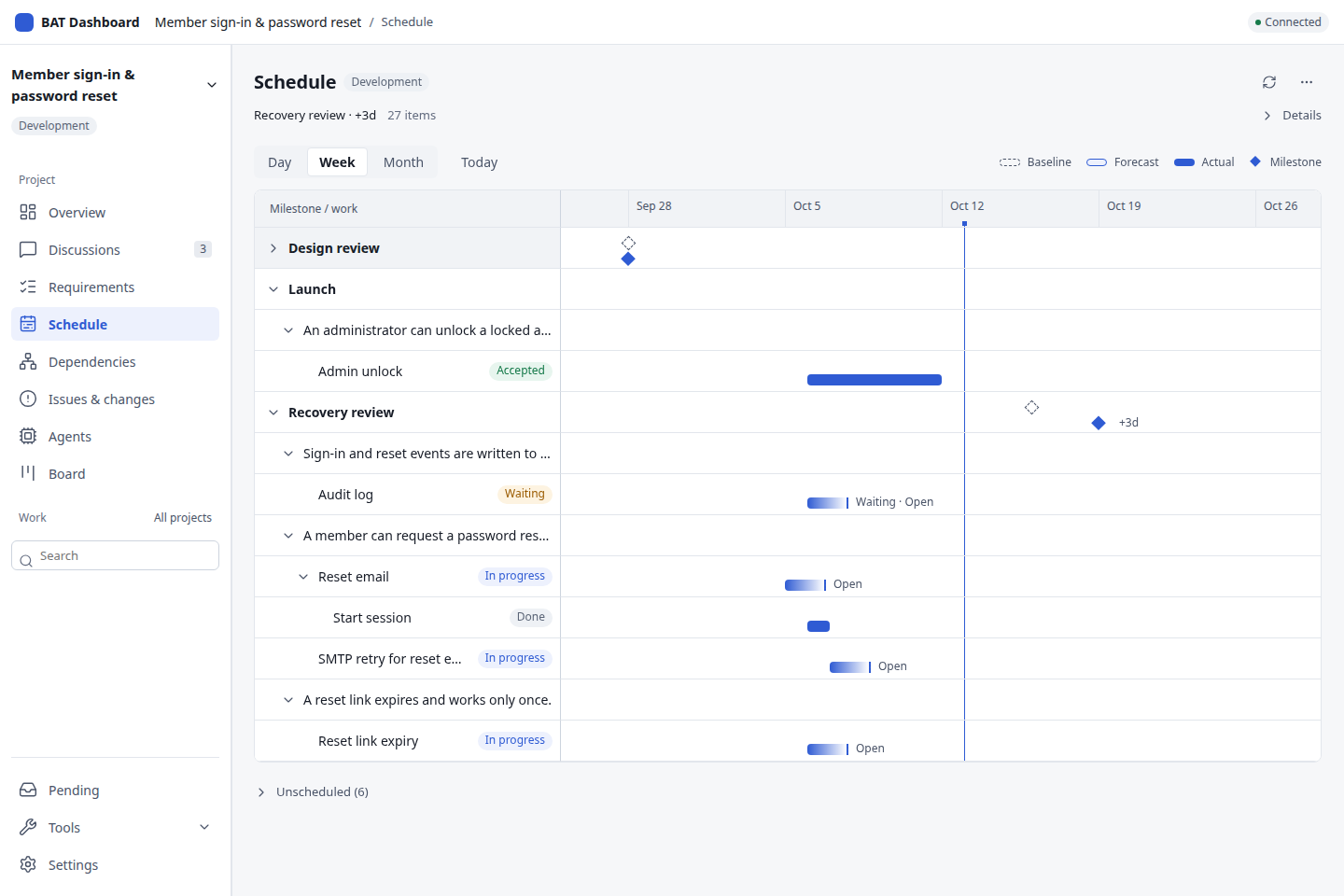
A session going quiet does not establish completion.session 安靜下來,不能直接判斷已完成。
Record the criterion, result, evidence and responsible reviewer.保留條件、結果、證據與負責審閱者。
Read back an uncertain operation before starting another.結果未知時先查回原操作,再決定下一步。
One small project first先從小專案開始
Try member sign-in and password reset. Keep the project selected as you move from its status to a sourced discussion and a reviewable update.先試會員登入與忘記密碼的小專案。從總覽找到問題、帶入討論,到審閱更新,都保留同一份專案脈絡。
Open Overview for the goal, accepted requirements, blockers and pending decisions. Read saved reports separately.在專案總覽看目標、已驗收需求、阻礙與待決事項;需要回顧時再切換已存報告。
Open a record in Requirements, Issues & changes or Schedule and inspect its original evidence.從需求、問題與變更或時程開啟紀錄,查看原始證據與下一步。
Use the record's Discuss action. Its context and title follow you into Discussions; save a note and ask the PM.按紀錄上的討論入口,來源與標題會一起帶入;寫下想法,再請 PM 提案。
Check the proposed wording, retained requirements and open questions. An authorized owner explicitly adopts the reviewed update.核對建議文字、保留需求與未決問題,再由有權限的負責人明確採用。
Adoption needs the PM-owned Git worktree and owner authority. It does not start work or accept a requirement. Passing tests, merging and deployment retain their own evidence.採用需要 PM 自有 Git 工作區及工作空間擁有者權限。採用不會直接開工或完成需求驗收;測試、合併與部署各自保留證據。
Follow the PM guide →閱讀 PM 使用指南 →Follow the PM guide →閱讀 PM 使用指南 →The daily work日常工作
Live goal, progress, blockers and recent decisions. Unknown sources stay distinct from complete empty records; fixed reports remain separate.看即時目標、進度、阻礙與近期決策。未知來源與完整空紀錄分開呈現,固定報告另讀。
Read the contract →閱讀設計合約 →Search source-bound discussions, save notes and review proposed updates. Context, Inputs and Plan open in Discussion info. Reported issue resolution remains unassessed.搜尋有來源的討論、儲存筆記並審閱建議更新;討論資料按需開啟脈絡、資訊與計畫。問題解決回報仍為未評估。
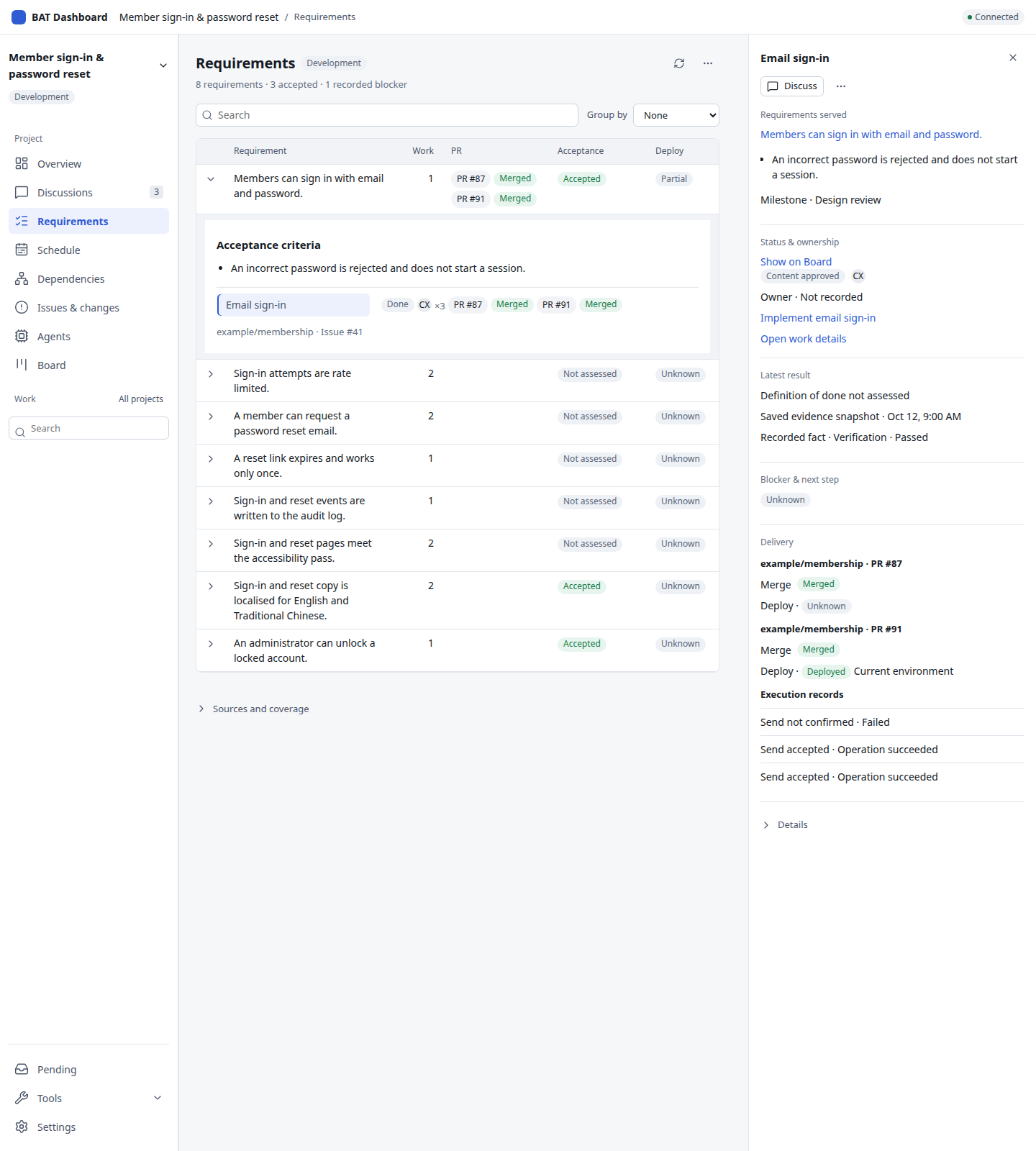
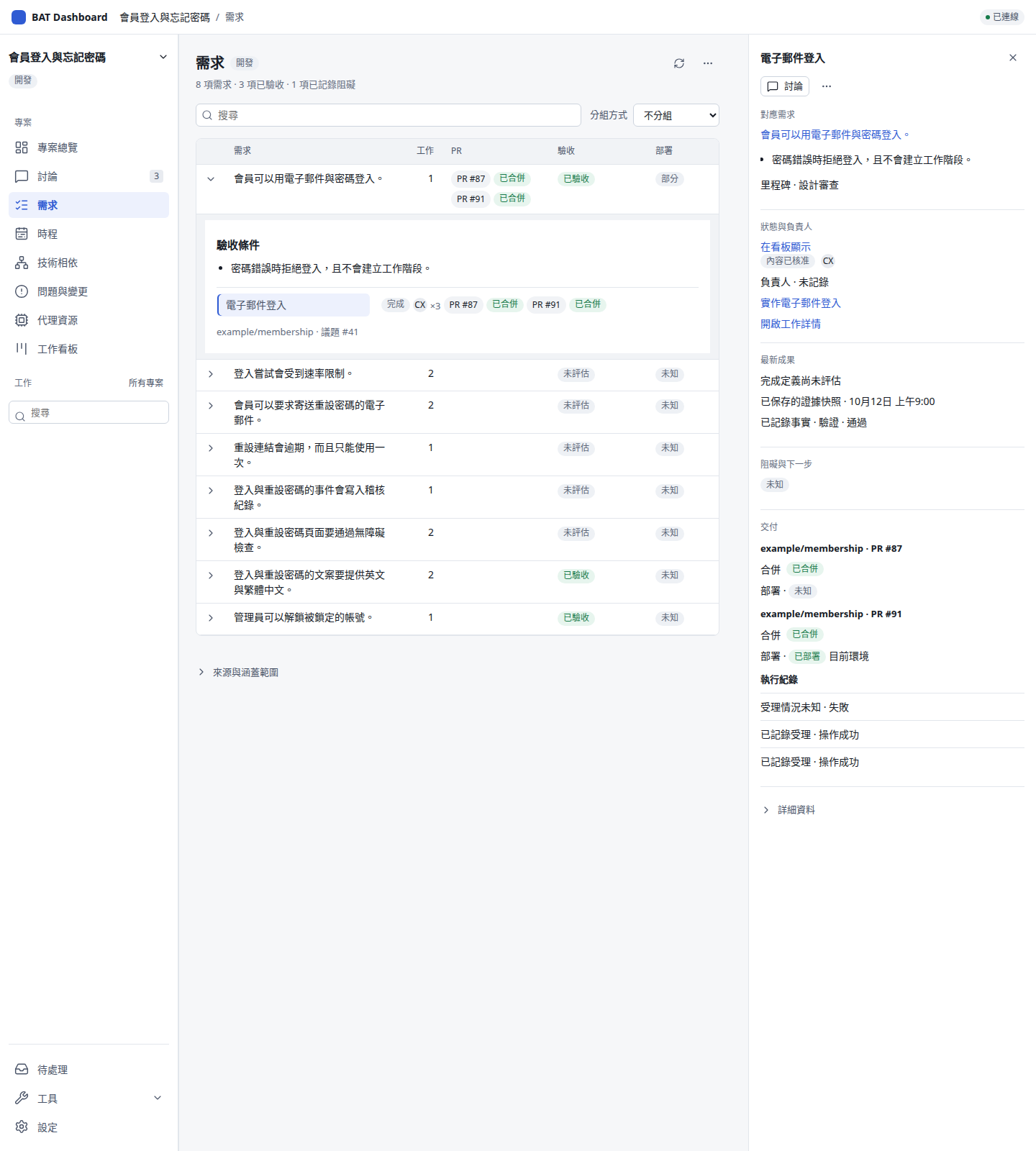
Read the contract →閱讀設計合約 →Expand requirements for criteria and bound work. Inspect acceptance, PRs and deployment; unchanged refreshes keep rows and focus stable.展開需求查看條件與關聯工作,再開詳情對照驗收、PR 與部署;資料未變的更新保留列位置與焦點。
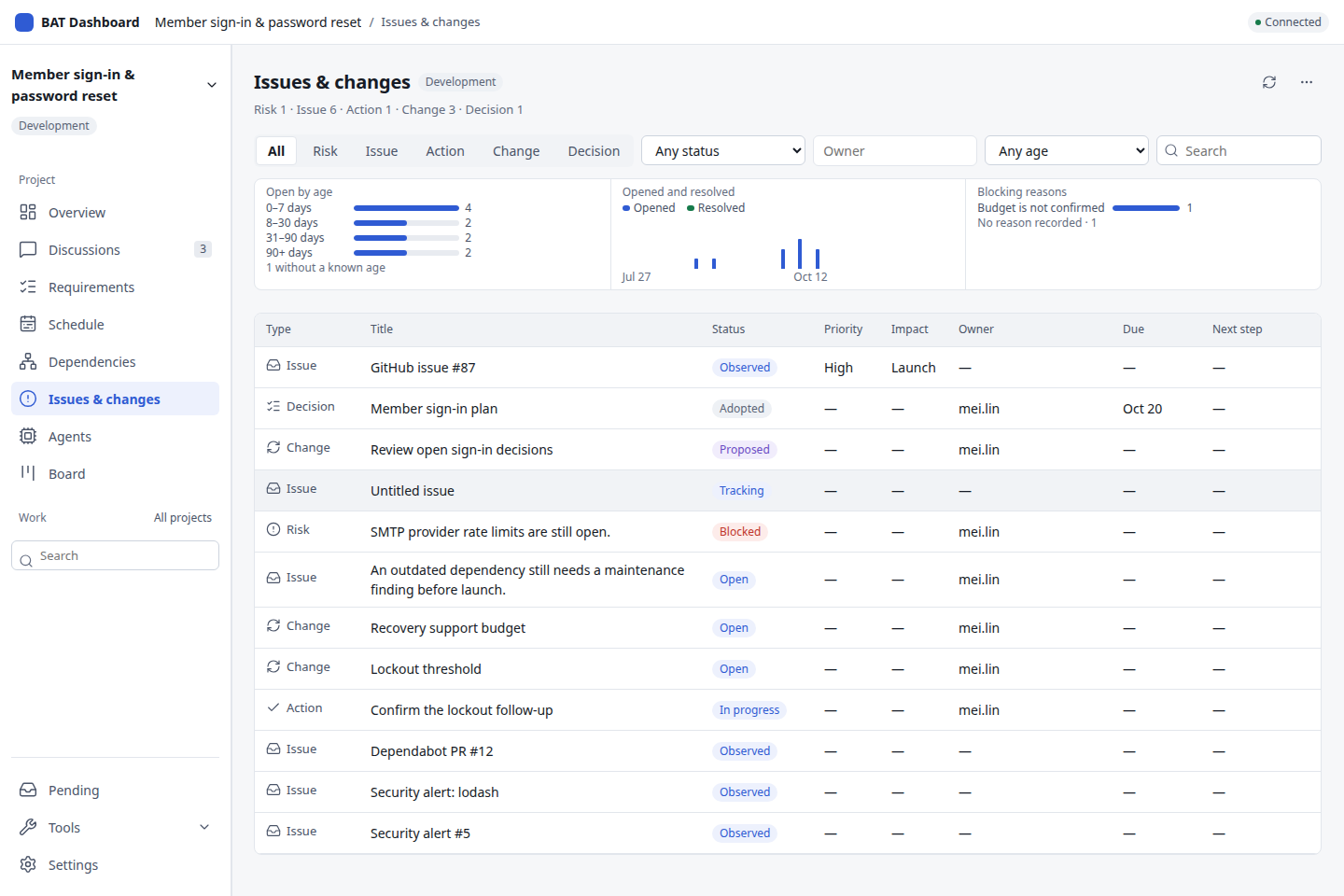
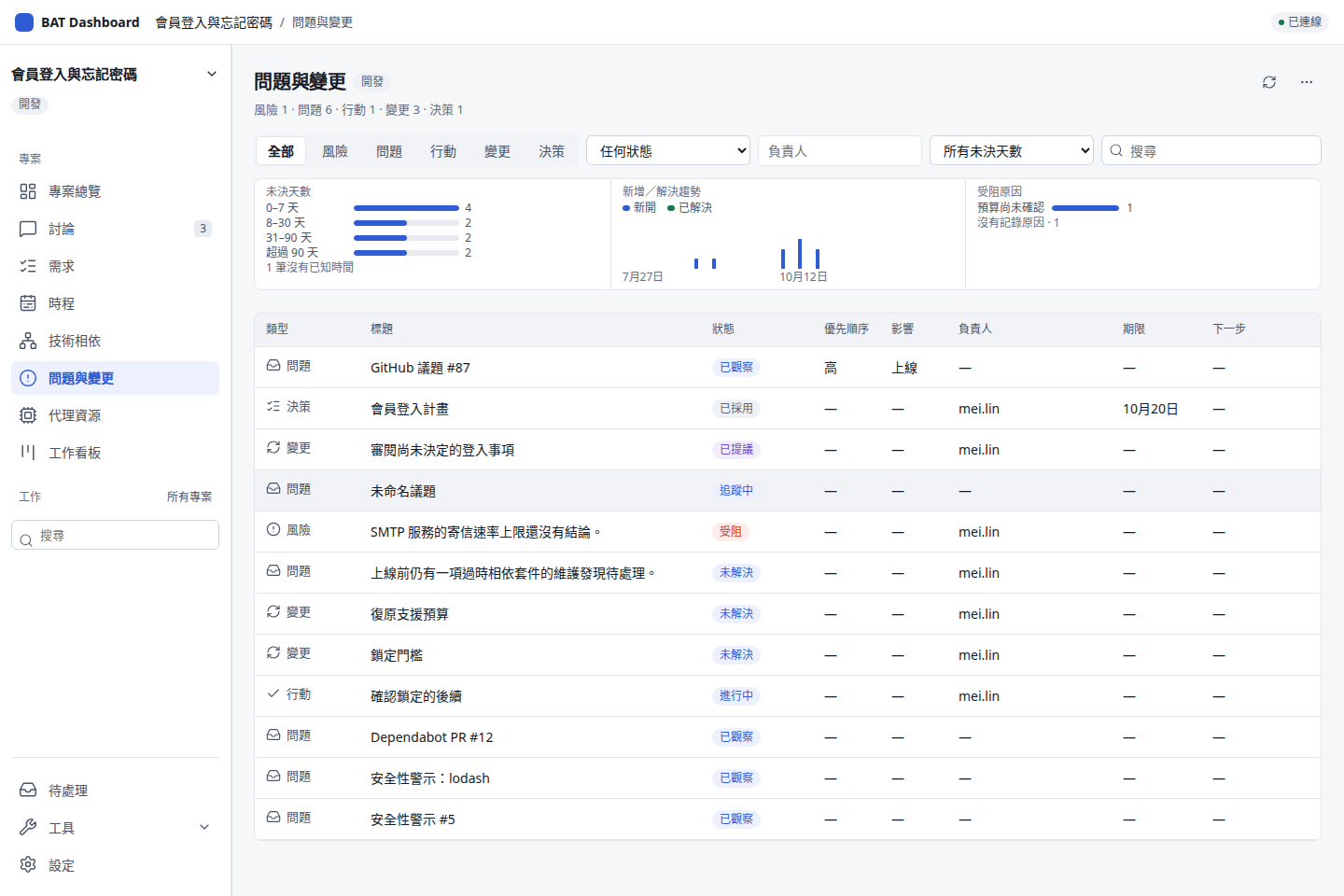
Read the contract →閱讀設計合約 →A filterable register with named findings, original records and processing timelines.用篩選登記表追蹤具名發現、原紀錄與處理時間線。
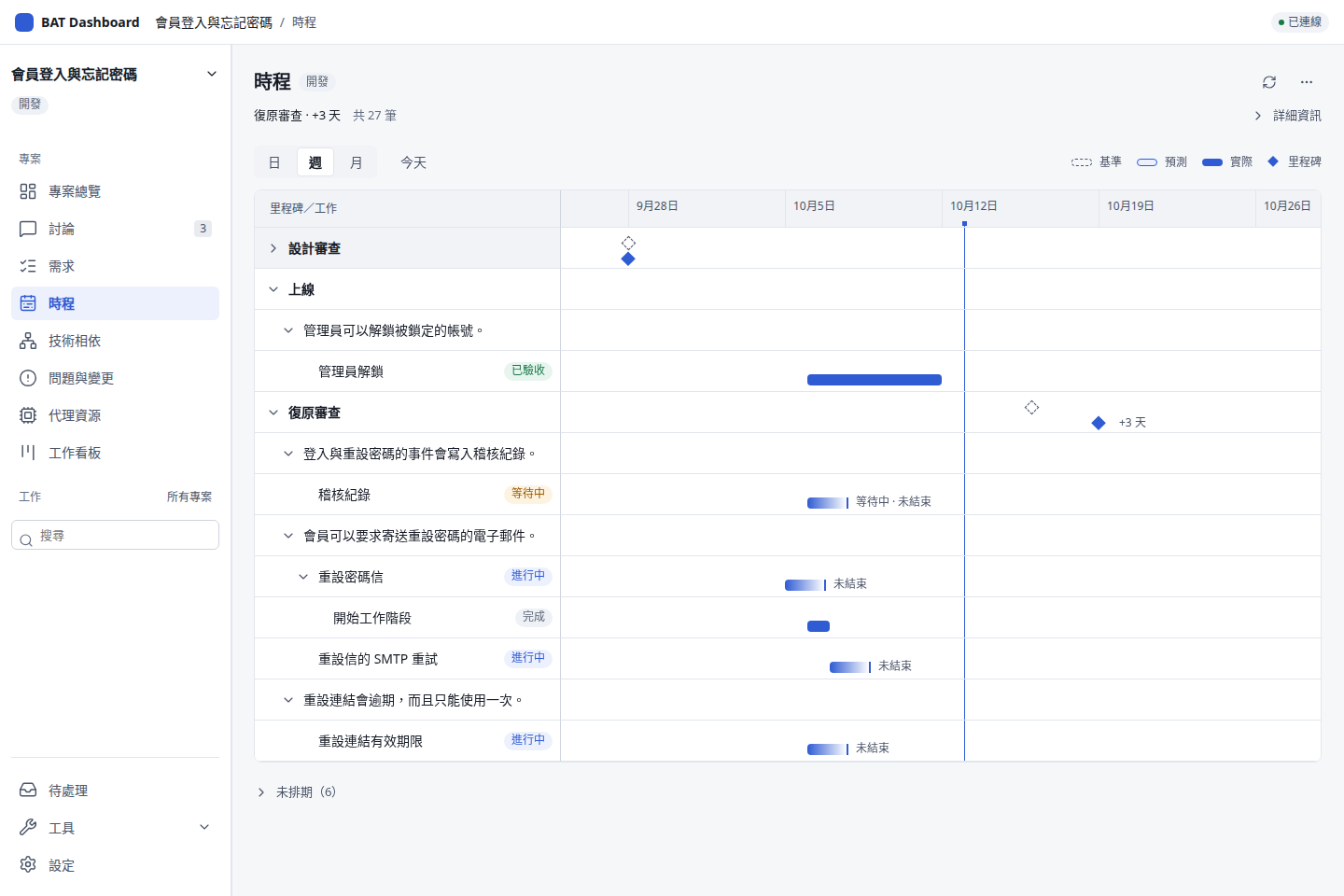
Read the contract →閱讀設計合約 →Compare recorded dates on a labelled axis. Missing dates stay unknown.在標示日期的時間軸上對照已記錄日期;缺少的日期保持未知。
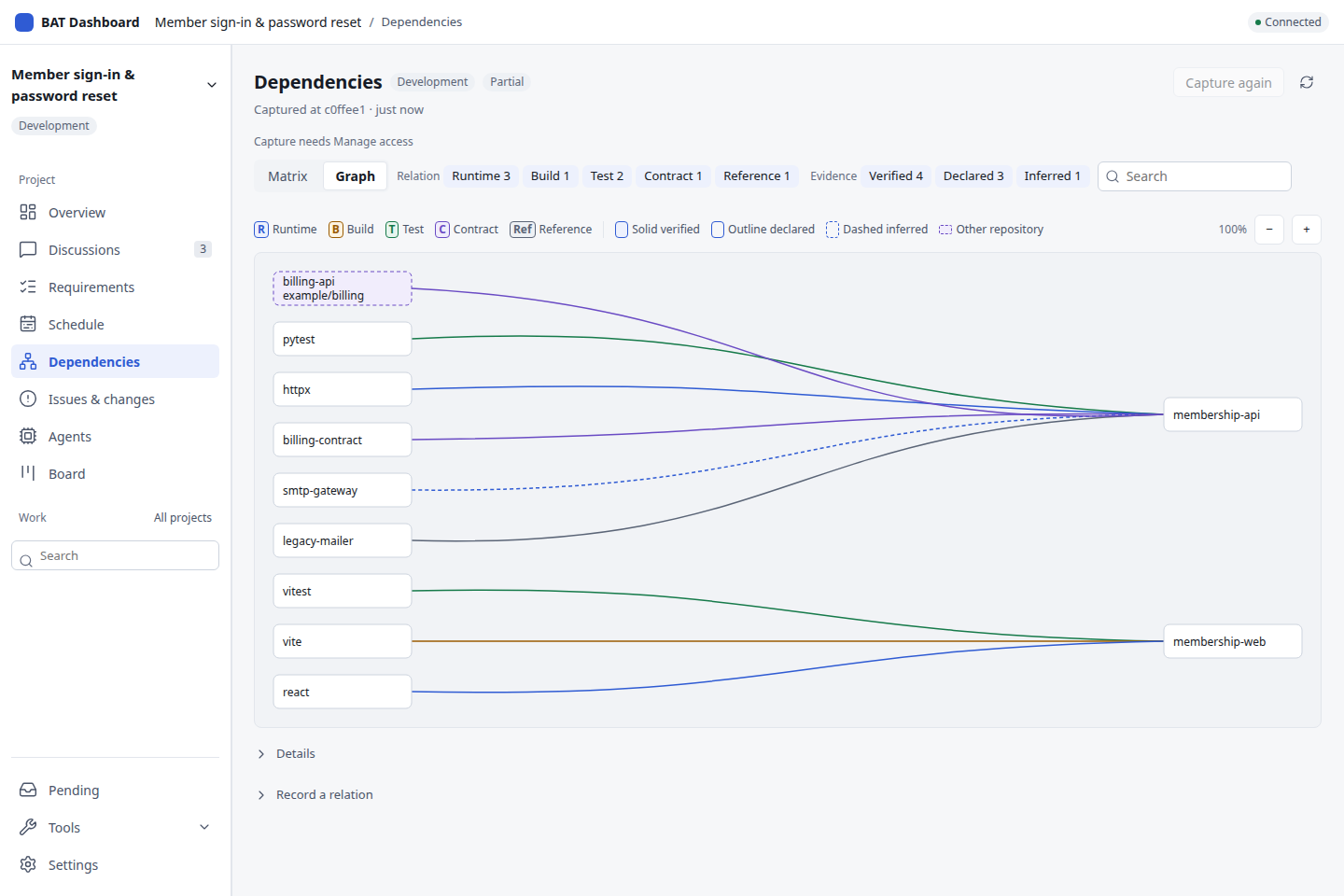
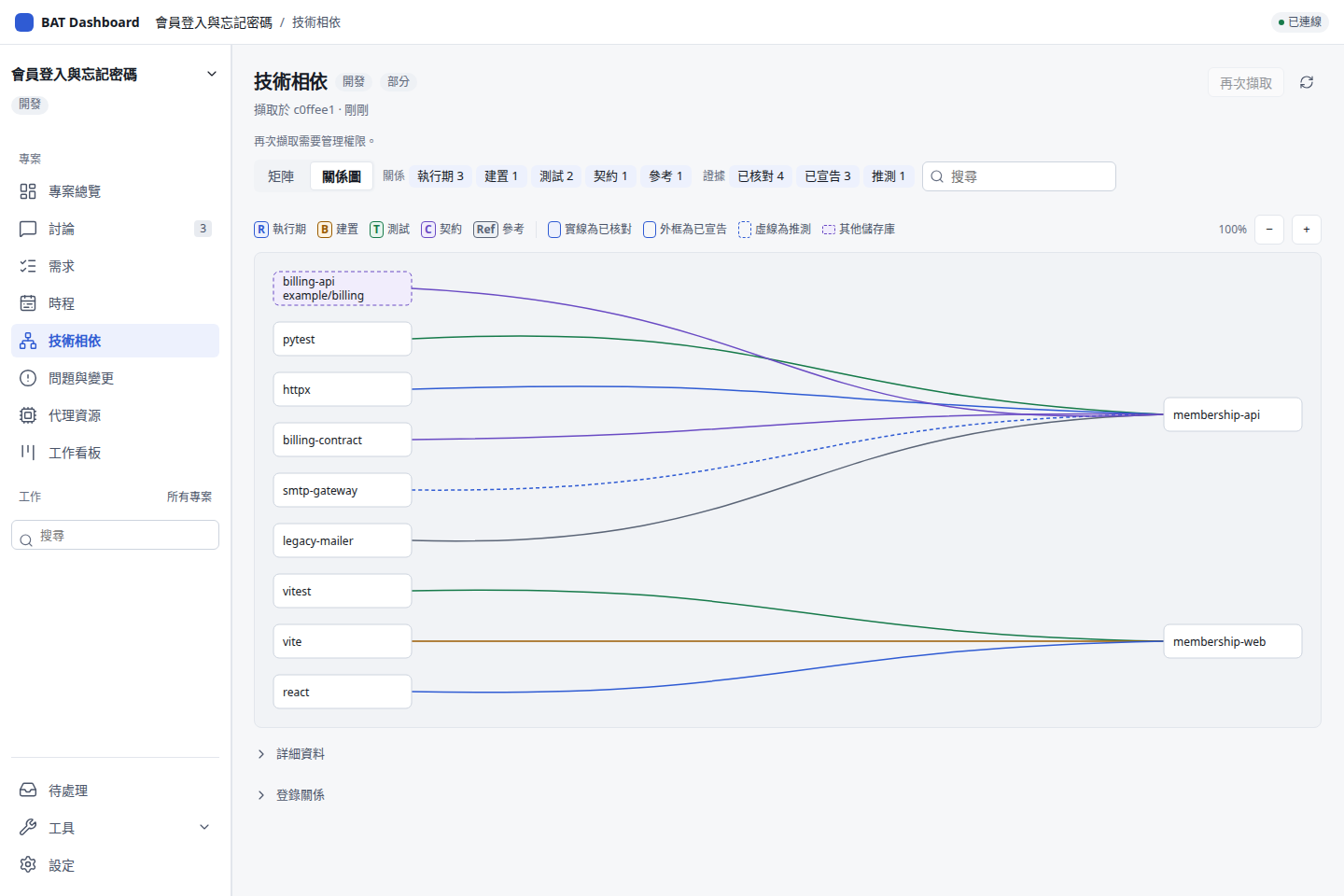
Read the contract →閱讀設計合約 →Pinned inventories, evidence styles and bounded impact reads in a matrix or graph.用矩陣或相依圖查看固定清冊、證據與有界影響。
Read the contract →閱讀設計合約 →Sourced usage, rows and daily trends share one consistent read. Reported quota stays separate; unavailable data stays unknown.以同一次讀取呈現用量、來源列與每日趨勢;回報配額另列,無法取得的資料保持未知。
Read the contract →閱讀設計合約 →Search, filter by requirement or agent, and open the shared work inspector. Work batches are in More actions.搜尋、依需求或 Agent 篩選,再開啟共用工作詳情;更多操作可開啟工作批次。
Read the contract →閱讀設計合約 →Open Governance and Follow-ups from Issues & changes. Meeting threads have a Meeting tab in Discussion info. Outcomes keep their fixed sources.從問題與變更開啟治理與後續追蹤;會議類討論的資料面板另有會議分頁。結果保留固定來源。
Read the contract →閱讀設計合約 →Dependencies holds Release baselines and Maintenance policy. Preview a release before registration; adopted policy keeps explicit repair bounds.技術相依提供發布基準與維護政策;登錄前先預覽發布來源,已採用政策保留明確修復限制。
Read the contract →閱讀設計合約 →Requirements → More actions opens quality, evidence, specification, package, handoff and issue publication tools.需求的更多操作開啟品質、成果證據、規格、工程工作包、工作包交接與議題發布工具。
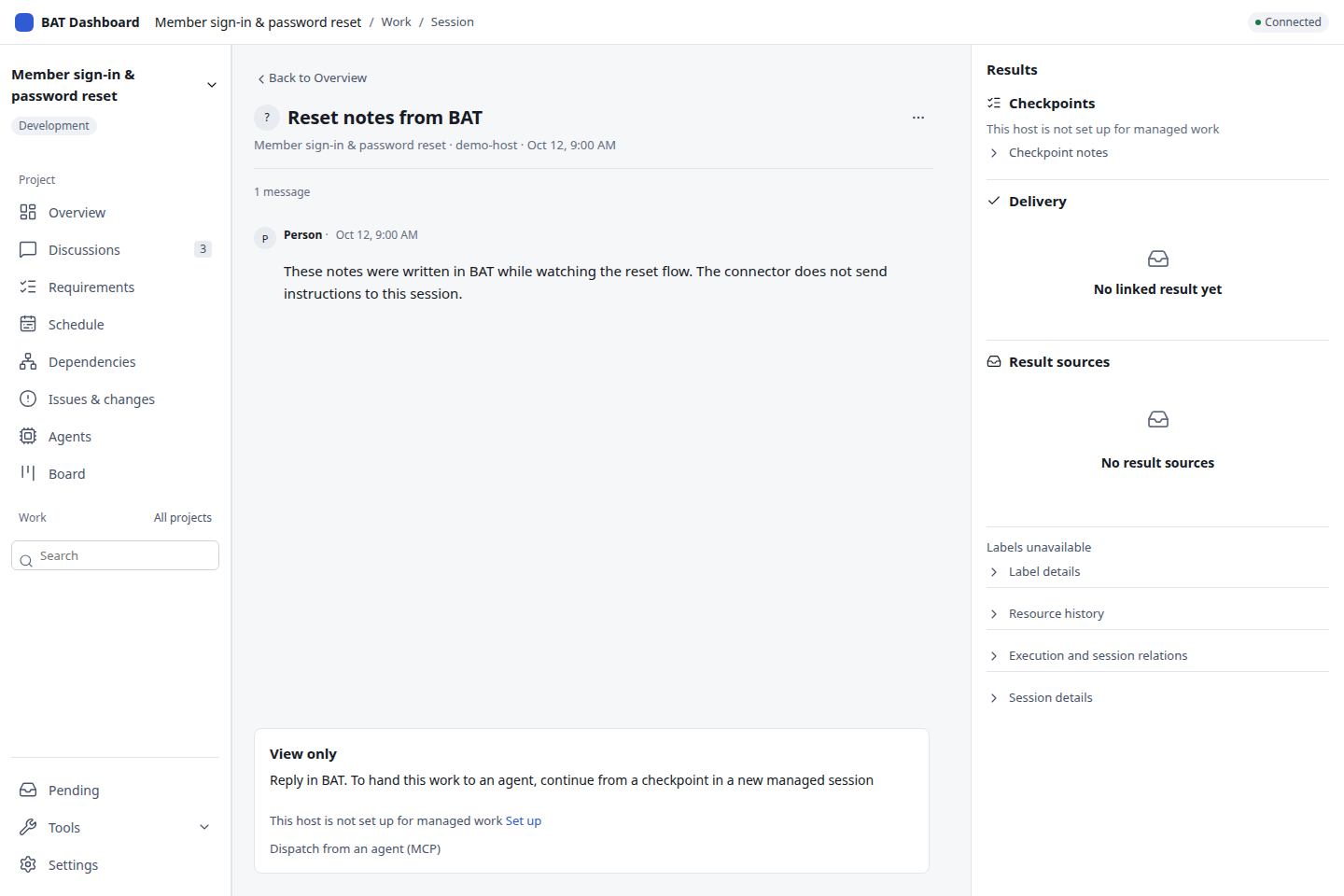
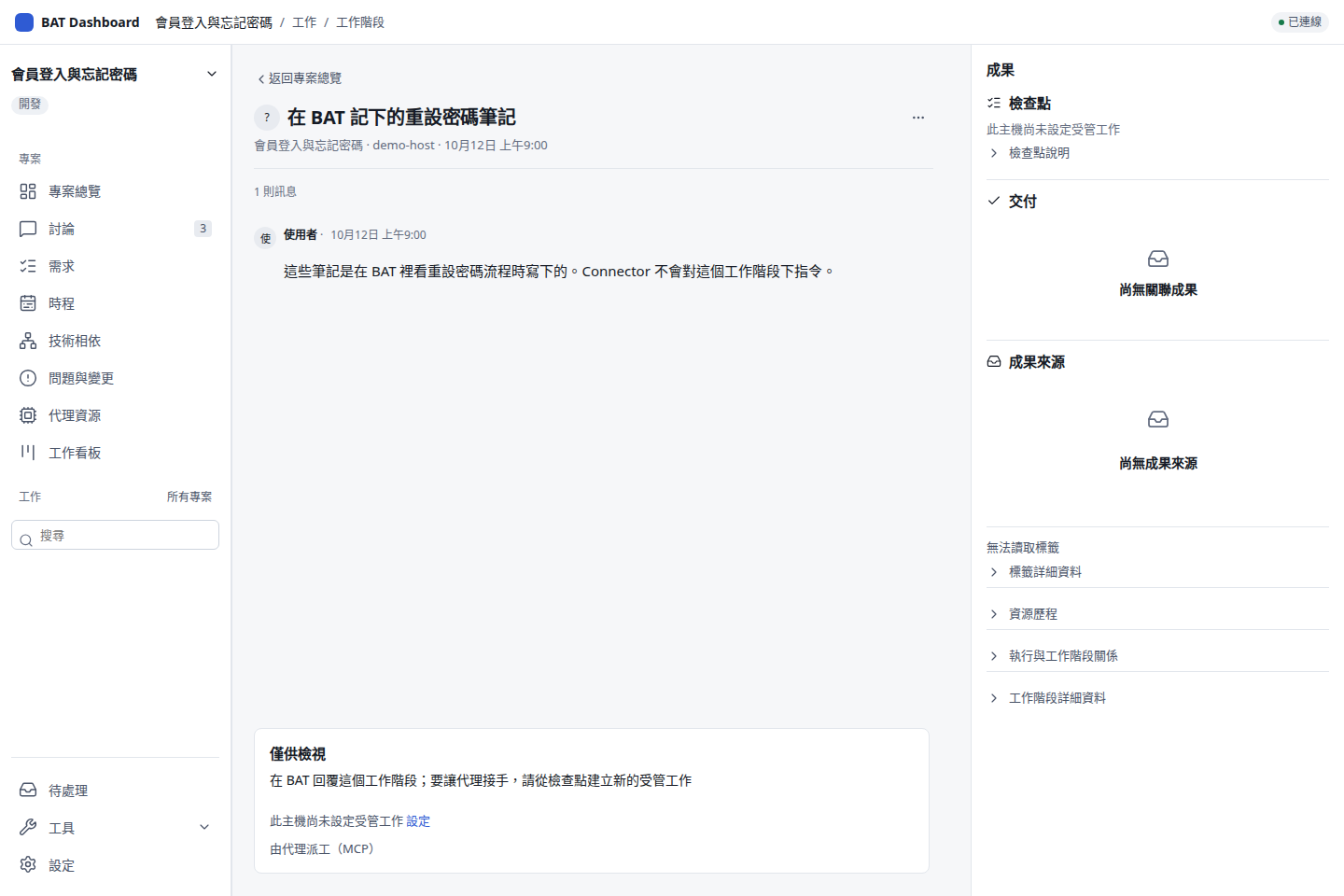
Read the contract →閱讀設計合約 →Read conversations and results; authorized managed controls coexist with read-only manual sessions.一起讀對話與成果;自有工作依權限操作,人工工作階段保持唯讀。
Read the contract →閱讀設計合約 →Clear responsibilities清楚的分工
Project management builds on Connector, BAT and Fleet. Web and Tauri share the same product surface.專案管理建立在 Connector、BAT 與 Fleet 之上;Web 和 Tauri 使用同一份產品介面。
Manage selected SSH tunnels, route readiness, BAT profiles and sign-in choices. Rust and the existing PowerShell backend follow explicit ownership and migration rules.管理選定 SSH tunnels、路由就緒、BAT profiles 及登入選項;Rust 與既有 PowerShell backend 遵守明確的歸屬與遷移規則。
↓ Governed BAT operations ↓↓ 受控 BAT 操作 ↓
Keep using BAT desktop or mobile. Connector reads human sessions and worktrees; continuation creates new owned work.照常使用 BAT desktop/mobile;Connector 唯讀人工 session 與 worktree,接續時建立新的自有工作。
The PM and engineering agents retain their own workspaces, fixed source revisions and original operation links.PM 與工程 Agent 保留各自工作區、固定來源版本及原操作關聯。
Cross-host code synchronization uses explicitly bound repositories and published commits.跨主機程式碼同步使用明確綁定的 repository 與已發布 commit。
Desktop prepares one private local central. Explicitly join an existing central when needed; connection failure never replaces its database.桌面準備一套私人本機中央,需要時明確加入既有中央;連線失敗不會另造資料庫。
Bounded PM analysis runs on an eligible Linux central or BAT host. A Windows/Mac client can use that route; installing its desktop app does not add a native coding adapter.有界 PM 分析在合格 Linux 中央或 BAT 主機執行。Windows/Mac client 可使用該路徑,桌面安裝本身不會增加一般原生 coding adapter。
Windows FleetWindows Fleet
Local connectivity and startup stay visible alongside project management.專案管理之外,本機連線與啟動控制仍有清楚入口。
Maintain selected tunnels and configured route fallbacks. Check TLS, BAT identity and central access before work.維持選定 tunnels 與已配置備援路由,工作前核對 TLS、BAT 身分及中央存取。
Read the guide →閱讀說明 →Choose background connections, BAT profile windows and Dashboard independently; retain the login picker or saved choices.背景連線、BAT profile 視窗、Dashboard 各自選擇,保留登入選擇器或已存選項。
Read the guide →閱讀說明 →Use public Rust configuration or explicitly migrate an existing PowerShell setup after proving the old owner stopped.使用公開 Rust 設定,或證明舊 owner 已停止後明確遷移既有 PowerShell 配置。
Read the guide →閱讀說明 →Credential Manager, files and tray controls remain available. Tailscale sign-in and fixed central bootstrap use configured local facilities.保留 Credential Manager、檔案及系統匣操作;Tailscale 登入與固定中央 bootstrap 使用已配置的本機能力。
Read the guide →閱讀說明 →Start with a reviewed build從核對過的版本開始
Desktop packages include Python and prepare the local central. Account trust and work destinations remain explicit choices.桌面包包含 Python 並準備本機中央;帳號信任與工作目的地仍由你明確選擇。
Download Connector 0.2.8 / desktop 0.1.4 from the published preview. Check its source manifest and SHA-256 checksums.下載已發布的 Connector 0.2.8/desktop 0.1.4 預覽版,核對來源清單與 SHA-256 校驗碼。
Get ready to work opens 1. Connect BAT. Paste BAT’s connection URL, check Host ID, then Verify and save host. After success, choose View sessions. Repository binding and verification commands stay collapsed until needed.準備開始工作會展開「1. 連線至 BAT」。貼上 BAT 連線網址、核對主機代號,再按「驗證並儲存主機」。成功後按「查看工作階段」;儲存庫與驗證命令需要時再展開。
Start a small PM scope, inspect its original evidence and record what still needs a decision.從小範圍 PM 工作開始,檢視原始證據,記錄仍需決定的事項。
Advanced users can explicitly join an existing central. The published preview includes fixed source and checksum records. These are development validation builds, not a stable signed update channel. Closing the UI leaves central work running.進階使用者可明確加入既有中央。已發布預覽版附有固定來源與校驗紀錄。這些是開發驗證包,尚非穩定的簽章更新通道;關閉 UI 仍保留中央工作。
Entry points使用入口
| Entry入口 | Local facilities本機能力 | Current boundary目前界線 |
|---|---|---|
| Browser瀏覽器 | Shared UI and authenticated central access共用 UI 與中央認證存取 | No native Fleet or credential vault.沒有原生 Fleet 或 credential vault。 |
| Windows x64Windows x64 | NSIS, bundled central, tray, Fleet and Credential ManagerNSIS、打包中央、系統匣、Fleet 與 Credential Manager | Unsigned validation package.未正式簽署的驗證包。 |
| Mac Apple Silicon / IntelMac Apple Silicon/Intel | DMG, bundled central, menu bar and KeychainDMG、打包中央、選單列與 Keychain | Ad-hoc signing; Windows Fleet is not ported.ad-hoc 簽署;Windows Fleet 未移植。 |
| LinuxLinux | Debian package and bundled centralDebian 套件及打包中央 | External-central native credentials are memory-only.外部中央的原生憑證只留記憶體。 |
Formal signing, Mac notarization, production updates and Linux persistent native credential storage are outside the agreed delivery.正式簽章、Mac 公證、正式更新通道與 Linux 原生憑證持久儲存,已排除於本次交付。
Ownership and recovery歸屬與恢復
Human sessions and worktrees remain read-only through Connector. Reading a source does not grant control of it.Connector 對人工 session 與 worktree 保持唯讀;能讀來源,不代表能控制來源。
The current principal, host policy, source access and original resource identity are checked before effects.效果執行前核對目前身分、主機政策、來源存取及原資源身分。
Keep the original operation and key while a result is uncertain. Query its evidence instead of dispatching another copy.結果未知時保留原 operation 與 key;查證據,避免再派一份工作。
Connector policy works with host accounts and confinement. It is not an operating-system sandbox.Connector 政策與主機帳號、隔離機制一起運作,本身不是作業系統 sandbox。
Current scope目前範圍
Read merged code, candidate checks and real-environment acceptance as separate records.分開看已合併程式、候選驗證與實際環境驗收。
Documentation文件
Packages, runtime prerequisites and one small project.套件、runtime 前提及一個小專案。
Connections, profiles, startup and native facilities.連線、profiles、啟動及原生能力。
Merged, candidate, tested and remaining scope.已合併、候選、已驗證及剩餘範圍。
Fixed versions, evidence, blockers and the next steps.固定版本、證據、阻擋與接續步驟。
Canonical skills, MCP/CLI and central operations.共用 skills、MCP/CLI 及中央操作。
Build the shared frontend and run the relevant checks.建置共用前端並執行相應檢查。
Practical questions使用前的問題
No. The Dashboard can connect to a configured central and BAT host. Coding work stays on the selected host; the browser's operating system does not determine runtime support.不必。Dashboard 可連已配置的中央與 BAT 主機;開發工作留在選定主機,瀏覽器的作業系統不決定 runtime 支援。
Discussion creates records and proposals. Adoption, dispatch and maintenance policy are explicit product actions with their own authority and fixed scope.討論形成紀錄與提案;採用、派工及維護政策是明確的產品操作,各有權限與固定範圍。
Local Codex and Claude collectors are implemented. Agents shows sourced observations, daily buckets where available and reported quota windows. Remote collection and delivery-efficiency attribution remain planned; token traffic is not a subscription quota or bill.已有 Codex 與 Claude 本機 collector。Agent 資源顯示有來源的觀測、可用的每日桶及回報配額窗;遠端收集與交付效率歸因仍待做,token 流量也不能直接當成訂閱配額或帳單。
No usage-driven model policy is active. Future recommendations need measured delivery quality; adopted policy should apply to new owned work while preserving existing and human sessions.尚未啟用依用量自動改模型的政策。未來建議需要交付品質的實測,採用後應作用於新的自有工作,保留既有及人工 session。
Only within verified capabilities and adopted bounds. Controlled fixtures do not establish readiness of your accounts, hosts or deployment targets; real-environment acceptance remains with the owner.須在已驗證能力及採用界線內使用;受控 fixture 不代表你的帳號、主機或部署目標已就緒,實際環境驗收仍由使用者處理。
It is an unofficial MIT-licensed companion. BAT is by TonyQ and contributors. Project Hub informs selected interaction patterns without a runtime or importer dependency.這是 MIT 授權的非官方 companion。BAT 由 TonyQ 與貢獻者開發;部分互動參考 Project Hub,沒有 runtime 或 importer 依賴。